
Text to 3D is now something you can put in a project. You type a description, wait a few minutes, and get a textured mesh. The awkward part is choosing: several models all produce something when you press Generate, and the differences only show once you try to use the result.
This is a plain comparison of the four text to 3D models live in the studio, so you can pick in ten seconds instead of testing all of them every time.
The question that decides everything
Before comparing anything, answer this: where is the asset going? Most of the meaningful differences follow from that, and getting it wrong is how people end up with a lovely model they can't use.
- A render or still image. Detail matters, topology doesn't.
- A game engine. Poly count and clean topology beat fine detail.
- Animation or rigging. You need quads and sensible edge flow, or you'll retopologise by hand.
- A 3D printer. Watertight, solid geometry is the requirement. See our AI STL generator guide.
- A web viewer. File size becomes the limit first.
A model that's perfect for the first is often wrong for the third. It's the same lesson as picking image models, with harsher consequences: bad topology is far more painful to fix than the wrong colour grade.
The four text to 3D models
| Model | Controls you get | Reach for it when |
|---|---|---|
| Tripo H3.1 | Face limit, Quad mesh, Auto size, texture and geometry quality | The asset goes into a real pipeline and cost matters |
| Meshy 7.1 | Triangle or quad topology, target polycount, Low poly and Smart Topology mesh types, symmetry, remesh, auto-rig | You want to dictate the mesh, not receive it |
| Hunyuan 3D Pro | Face count from 40,000 to 1,500,000 (500,000 by default), PBR materials | Surface detail matters more than poly budget |
| Hyper3D Rodin | Quality levels, PBR or Shaded material, output as GLB, USDZ, FBX, OBJ or STL | Props, products, and a file in the format you need |
Cost differs too. At the time of writing, Tripo H3.1 is the cheapest of the four, Hunyuan 3D Pro and Hyper3D Rodin cost a little more, and a textured Meshy 7.1 model costs about four times as much as Tripo. Meshy's Preview mode, geometry without texture, is cheaper. The Generate button shows the exact cost before you press it.
Text to 3D with Hyper3D Rodin
Rodin is the model people search for by name, so here's what we saw. We ran four prompts through it for our Hyper3D Rodin examples: a wishing well, a cartoon robot, a fire hydrant and a treasure chest. On the well, the roof shingles, the crank and the bucket on its rope were modelled as geometry, not painted on. The hydrant's chains hang as real geometry. The robot, all smooth surfaces and one material, is the kind of object text to 3D handles best.
The practical win is the output format. Set it to STL for printing or FBX or OBJ for other tools, and you skip a conversion step. The cost: the studio viewer previews GLB, so a non-GLB result is something you check in your own software.
Organic versus hard surface
Organic forms are creatures, characters, plants and cloth: anything that curves. Generators do well here, because close enough is fine. Hunyuan 3D Pro's high default face count holds fine surface detail, which makes it a good first try for creatures and busts, at the price of heavy files.
Hard surface forms are machines, furniture, tools and packaging: flat planes, sharp edges, repeated parts. These are harder. A slightly wrong curve on a creature reads as character, while a slightly wrong edge on a box reads as broken. Start with Rodin here, then try Tripo H3.1 with Quad mesh on if the topology matters more than the edges.
Prompting in 3D isn't prompting in 2D
Image habits transfer badly. An image prompt describes a photograph: subject, light, lens, mood. A 3D prompt describes an object that exists from every angle, under no particular light. Golden hour, 35mm, bokeh and dramatic shadows have nothing to attach to in a mesh. At best they're ignored.
- Name the object plainly first: "a ceramic teapot".
- Describe form, not appearance. Rounded body, straight spout, flat base.
- Say how parts connect: handle attached at the top and bottom of the body.
- Give the material as a surface (matte glazed ceramic), not a lighting condition.
- State the pose if it matters, like standing upright on a flat base.
- Drop every camera and lighting word.
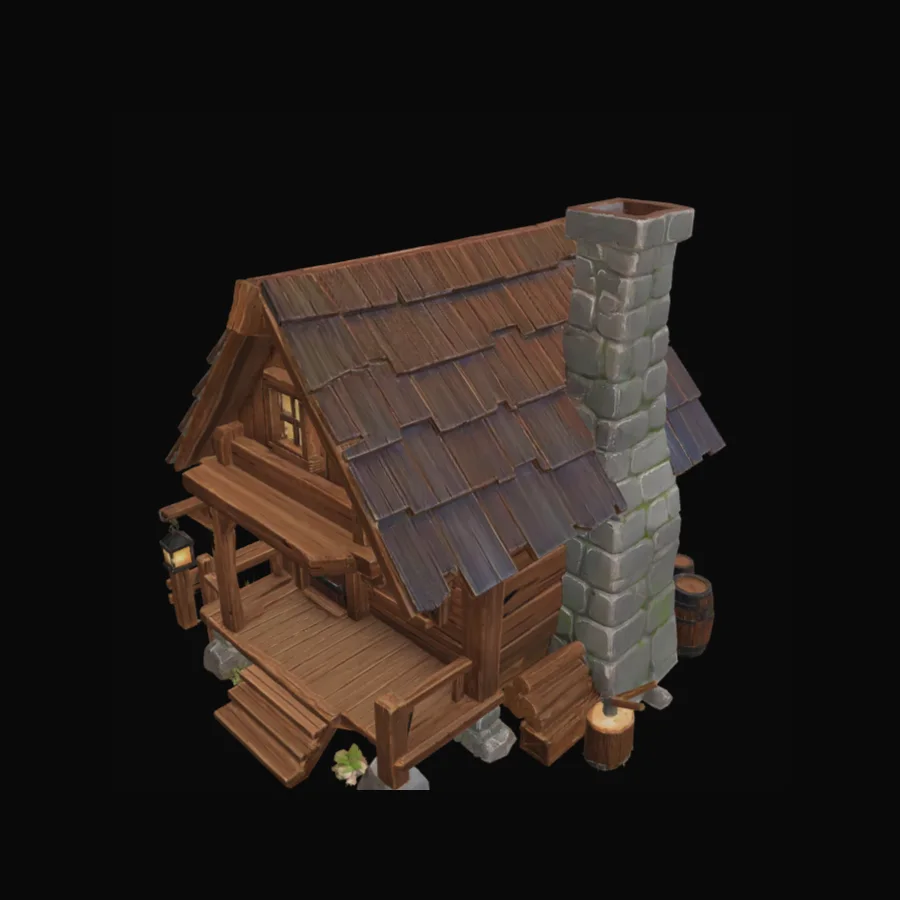
Short prompts tend to work better in 3D. A long 3D prompt often gives a confused shape trying to satisfy too many constraints. Start with a clear noun phrase and add only what the shape needs. Tripo H3.1 also takes a negative prompt for things you keep getting and don't want.
Describe the object, not the photograph of the object.
Set the mesh options before you generate
The most common wasted hour: generate a dense triangle mesh, import it, then decimate and retopologise to get what you could have asked for up front.
- Quads if it will be rigged or animated. Triangles are fine for static props.
- A poly budget before generating. Decimating afterwards loses detail unevenly and often eats the silhouette.
- Symmetry on (Meshy 7.1) for symmetric objects, to avoid lopsided results.
- Auto size (Tripo H3.1) or a real scale straight after import.
A workflow worth copying
- Write a short, plain description of one object.
- Draft cheaply: Tripo H3.1, or Meshy 7.1 in Preview mode, to see whether the shape reads.
- If the shape is wrong, rewrite the prompt. Don't switch models yet.
- Once the silhouette is right, pick the final model by destination: Rodin for hard surface and file formats, Hunyuan for organic detail, Tripo H3.1 or Meshy 7.1 when topology matters.
- Set poly count, topology and scale, then generate the final version.
- Check it from underneath and from behind.
Step three saves the most credits. A bad result is more often a vague prompt than a weak model, and cycling four generators with the same unclear description gives you four versions of the same misunderstanding.
Where all of them still struggle
Interiors: ask for a room and you get something that looks like a room from outside and is solid or chaotic inside. Multi-object scenes: a desk with a lamp, a book and a mug comes back as one fused blob, so generate objects separately and build the scene yourself. Text on objects: lettering comes out as texture, often as letter-like marks rather than your word. Add real text in a modelling tool.
The short version
For text to 3D, pick by destination, not by which preview looks best. Rodin for hard surface and when you want STL, FBX or OBJ straight out. Hunyuan 3D Pro for organic detail. Tripo H3.1 for clean topology at the lowest cost, Meshy 7.1 for the most mesh control at the highest. Describe the object, not a photo of it, keep prompts short, and set mesh options before generating.
To try a prompt on all four, open Text to 3D.


