
Gaussian splats are the 3D files that look like photographs. You can orbit them, highlights shift as you move, and soft things like fur and leaves keep their soft edges. Then you try to drop one into Blender, a game engine or a slicer, and find there's almost nothing you can do with it.
A splat isn't a better mesh. It's a different kind of file that answers a different question. Knowing the difference before you generate saves the afternoon most people lose to it once.
What a mesh is
A mesh is the traditional way to describe 3D: points in space joined into flat faces, wrapped in a texture image. It has been the standard for decades, and almost every 3D tool reads it.
That's the point of it. You can open a mesh in Blender and move a vertex. You can rig it, animate it, print it, put physics on it, or send it to someone using different software. A mesh is an editable description of a shape.
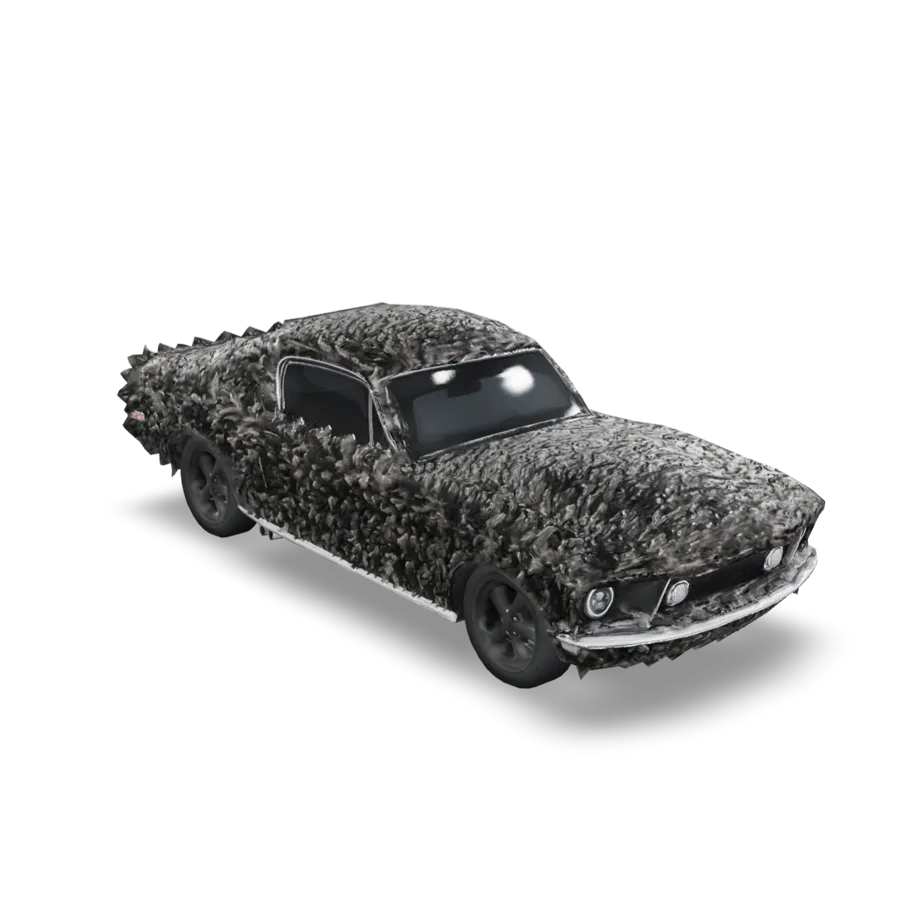
The cost is that a mesh describes surfaces, and some things aren't surfaces. Hair, grass, smoke, fuzz and the soft edges of leaves have to be faked with transparent textures, and it often shows.
What Gaussian splats are
A splat drops surfaces entirely. The scene is a large cloud of small, soft, see-through blobs, each with a position, a size, an opacity and a colour that can change with the viewing angle. TripoSplat, the splat generator in the studio, makes 262,144 of them per model by default.
That angle-dependent colour is the clever part. Highlights shift as the camera moves, the way they do in real life. A mesh with a baked texture can't do that without a lighting setup.
Because a splat records appearance rather than shape, there's no geometry inside to grab. No surface to snap to, no edge to select, no volume to fill. Editing a splat is a bit like trying to move a chair in a photograph.
Gaussian splats vs meshes, side by side
| Mesh | Gaussian splat | |
|---|---|---|
| Photographic look | Good with effort | Strong from the start |
| Fur, foliage, soft edges | Faked with textures | Handled well |
| Editing the shape | Yes | No |
| Rigging and animation | Yes | No |
| 3D printing | Yes | No |
| Game engine support | Everywhere | Growing, mostly through plugins |
| Relighting | Yes | Barely, the light is baked in |
| File formats | GLB, OBJ, FBX, STL and more | PLY or .splat |
Read down the splat column and the pattern is clear. Everything about looking at the result is better. Everything about doing something with it is worse or impossible.
Support is moving. In February 2026 Khronos, the group behind glTF, published a release candidate of a glTF extension for Gaussian splats, and some viewers and engine plugins already read it. Until it's final and widely supported, plan on a splat working in splat viewers and not much else.
How to choose in ten seconds
Ask one question: does anything need to happen to this object other than being looked at?
- Splat: a product viewer on a web page, a backdrop you orbit, a VR or AR view, anything where looking real is the whole deliverable.
- Mesh: anything animated or rigged, printed, put in a game, relit, edited by a colleague, or headed into a normal 3D pipeline.
Which model makes which
In Image to 3D, TripoSplat is the splat option. It takes one image and outputs PLY or .splat, and the studio viewer shows the result in your browser. Tripo H3.1, Meshy 7.1, Hunyuan 3D Pro, Hyper3D Rodin and TripoSR all make meshes. Text to 3D only offers mesh models.
Because they sit in the same model menu, TripoSplat gets picked by accident. Its preview can look the most impressive of the set, which is the trap. If the asset is going anywhere other than a viewer, it's the wrong choice however good the preview looks. It's also one of the cheapest 3D models in the studio, which makes the mistake easy to repeat.
If you do want a splat
TripoSplat builds the whole thing from one picture, so the picture decides most of the result. Use one object, fully in frame, on a plain background, with light you would be happy to keep forever. The settings are few:
- Gaussians: 262,144 by default, adjustable from 1,024 up to about a million. More blobs can hold finer detail and make a bigger file.
- Format: PLY is the common splat file most viewers and plugins read. Pick .splat if your web viewer asks for it.
- Steps and Guidance: leave them at 20 and 3 until you have a reason to change them.
Check the file in the viewer you will ship with, not only in the studio. Splat viewers don't all render the same way, so a splat that looks right in one can look softer in another.
Two things people assume that aren't true
"I'll convert the splat to a mesh later." Research methods and tools for this exist, and results vary a lot. You're asking software to find surfaces in a cloud of blobs that was never organised around surfaces. What comes out tends to be noisy and need more cleanup than generating a mesh in the first place. Treat a splat as a one-way choice.
"Splats are the future, meshes are the old way." They solve different problems. Splats are a big step for showing what something looks like. They do nothing for building things, because they were never trying to. Nobody is going to rig a character made of splats.
Splats are for showing what something looks like. Meshes are for building with it.
The lighting catch
A splat carries the light it was made with. Generate one from a photo taken on a bright afternoon and that sunlight is in every blob. Put it in a dim interior scene and it looks pasted in, and no lighting setting fixes it.
Meshes work the other way. Their materials respond to whatever lights you place in the scene. That's why they look flatter on their own and why they sit properly in a scene once lit. If you do want a splat, pick a source image whose light matches where it will be shown.
The short version
A mesh describes shape: you can edit, rig, print and relight it. Gaussian splats record appearance: they look photographic and handle fuzzy subjects well, but you can't do much else with them, and their light is baked in. Pick a splat when the deliverable is looking at something, and a mesh for everything else. When unsure, take the mesh, and don't count on converting a splat later.
If your mesh is headed for a game, AI mesh generation for game assets covers poly budgets and topology. To try both kinds on the same photo, open Image to 3D.


