Hyper3D Rodin 12 real outputs, prompts and settings.
Hyper3D Rodin is a 3D generation model from Deemos. It turns a text prompt or a photo into a textured 3D mesh with PBR materials. On TrendShift Labs you run it inside the Text to 3D and Image to 3D apps and download the result as GLB, USDZ, FBX, OBJ or STL.
This page shows 12 models we generated with it: eight from photos, four from prompts. Each one loads in the browser so you can orbit it, and every card lists the input and the settings. One went wrong, and we kept it.
- 86 credits per run
- Text or photo in
- GLB, USDZ, FBX, OBJ, STL
- Made 15 Oct 2026
The outputs
12 Hyper3D Rodin models you can orbit
Press Rotate in 3D on any card to load the real mesh in the browser; until then you see a still. The input photo sits in the corner of the image-to-3D cards. Settings marked TODO are being filled in from the studio history. Files are compressed for the web (about 150,000 triangles, 1024 px textures), nothing else was edited.
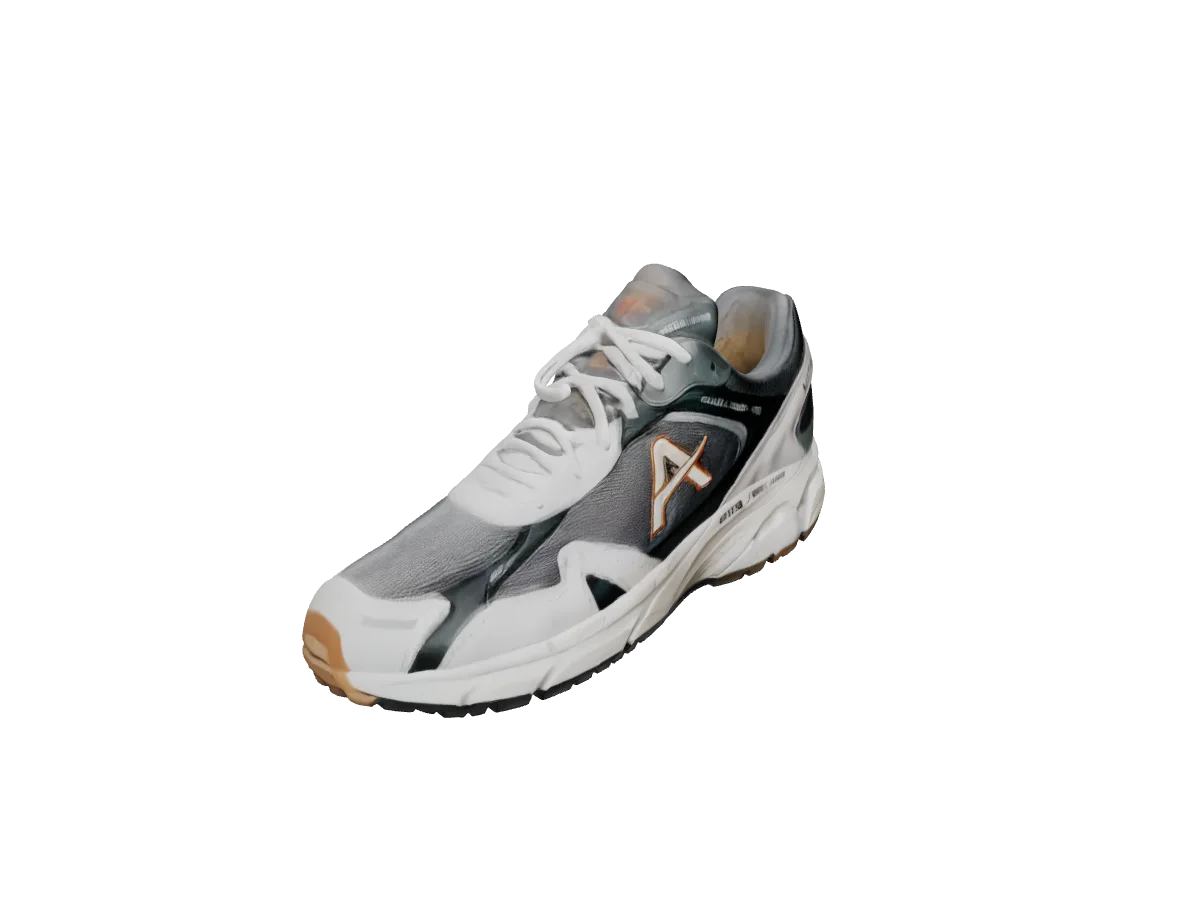
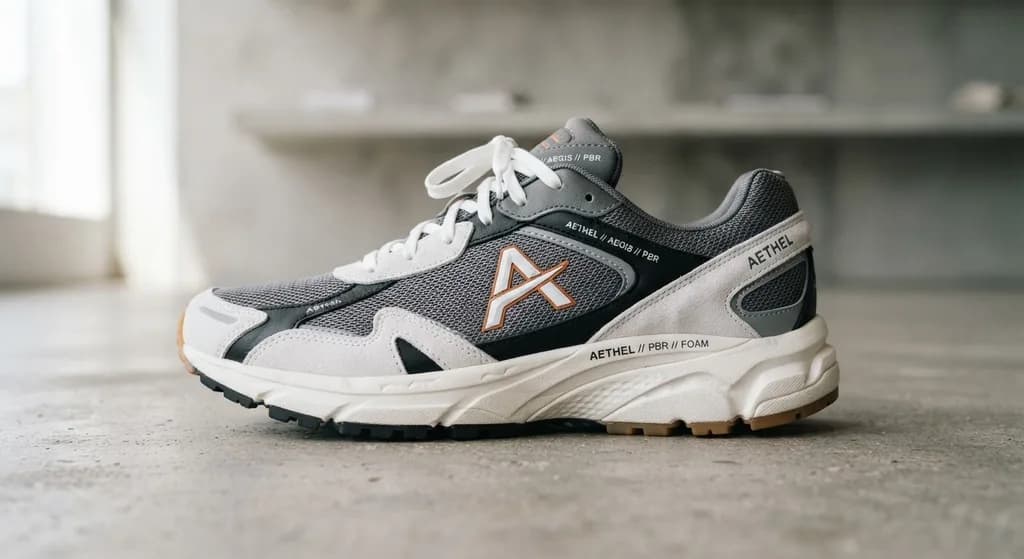
Running sneaker
Image to 3DInput: A side-on product photo of a grey and white running sneaker on a concrete floor.
Mesh panels, laces and the sole are all separate in the mesh. The side the camera never saw is a mirror of the one it did.
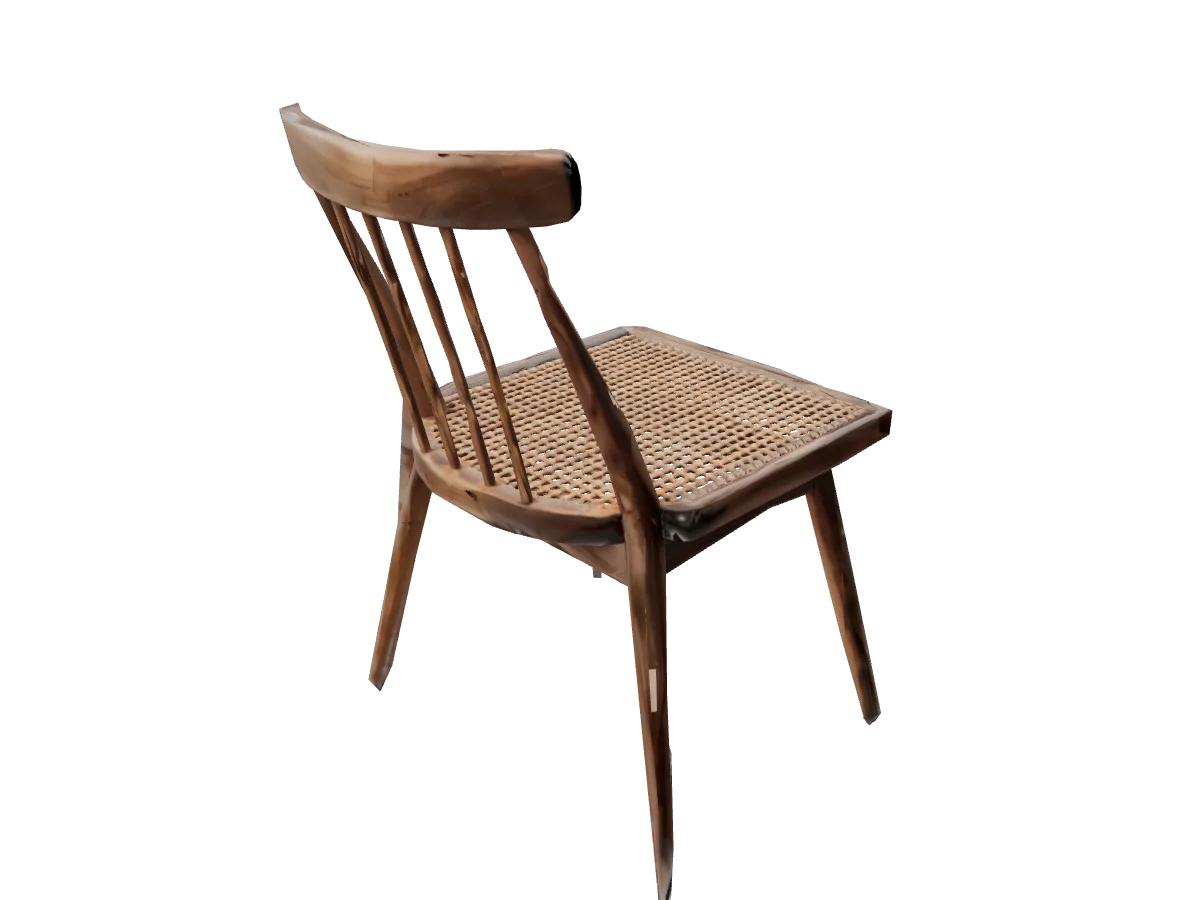
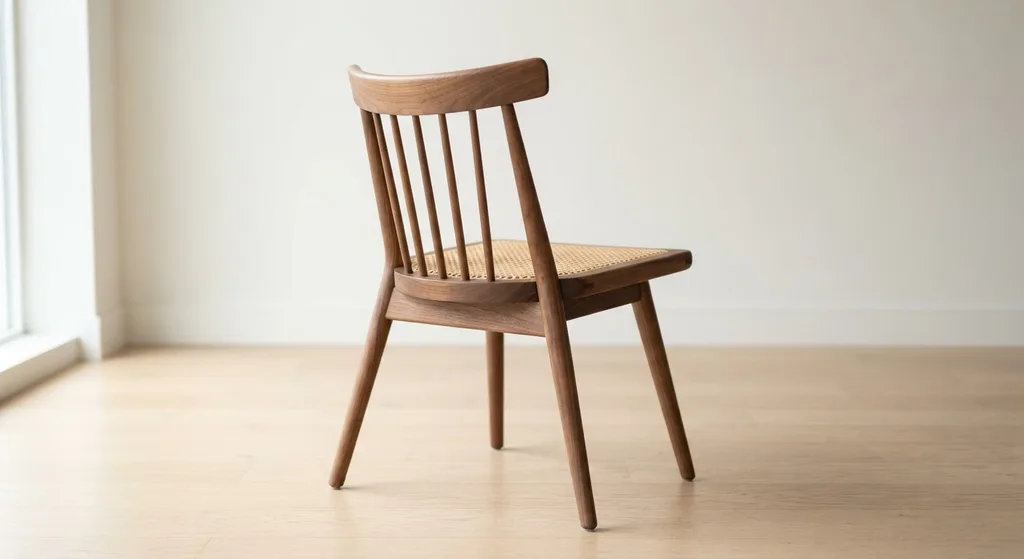
Spindle-back chair
Image to 3DInput: A rear three-quarter photo of a walnut chair with a cane seat, on a light wood floor.
Every spindle survived as its own thin cylinder. The cane weave is a texture, not geometry.
 Weaker result
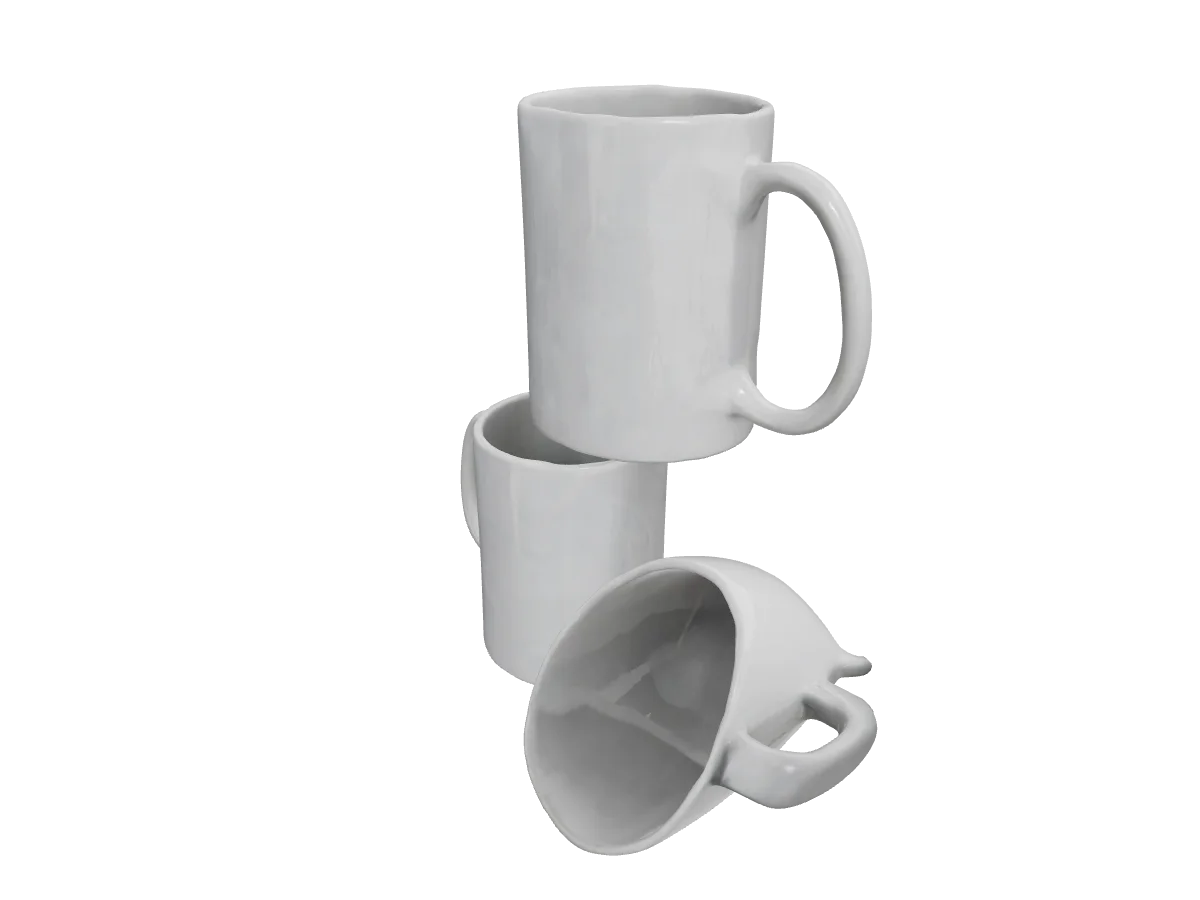
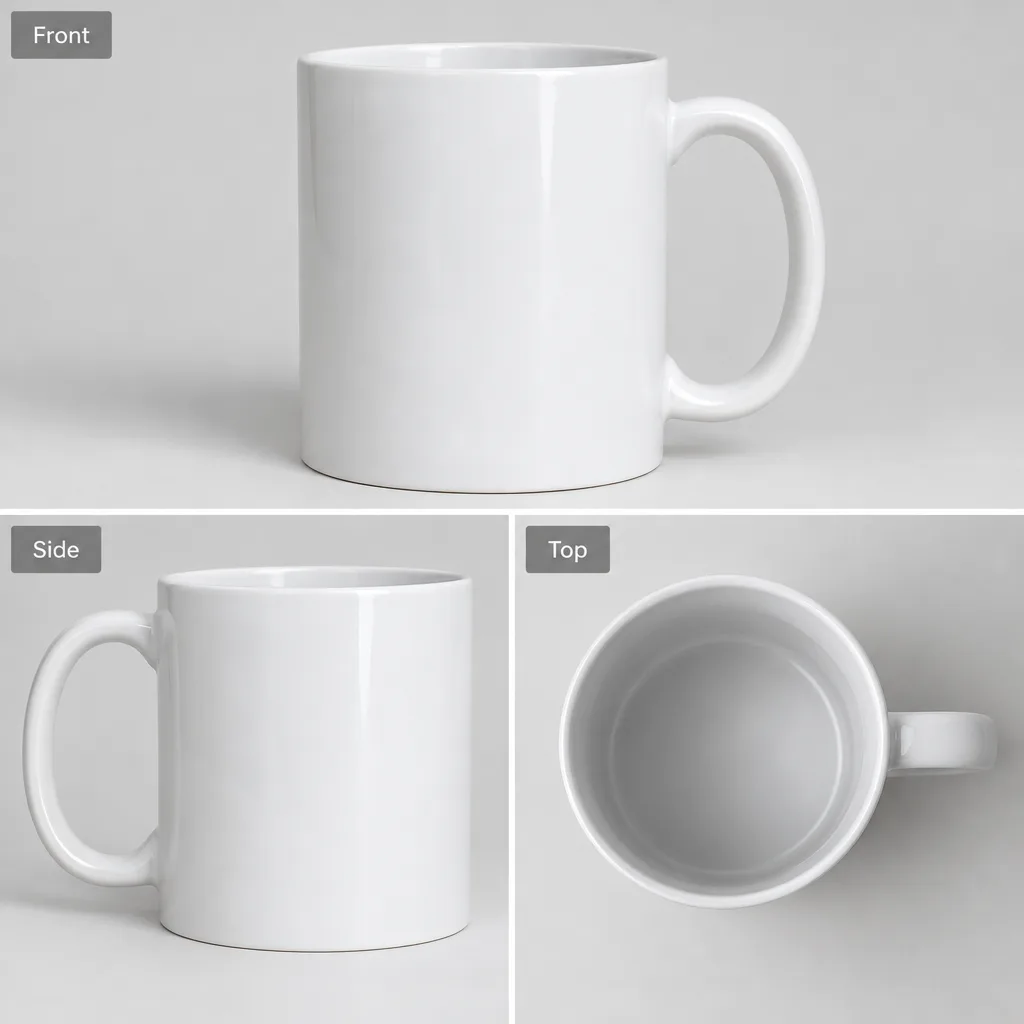
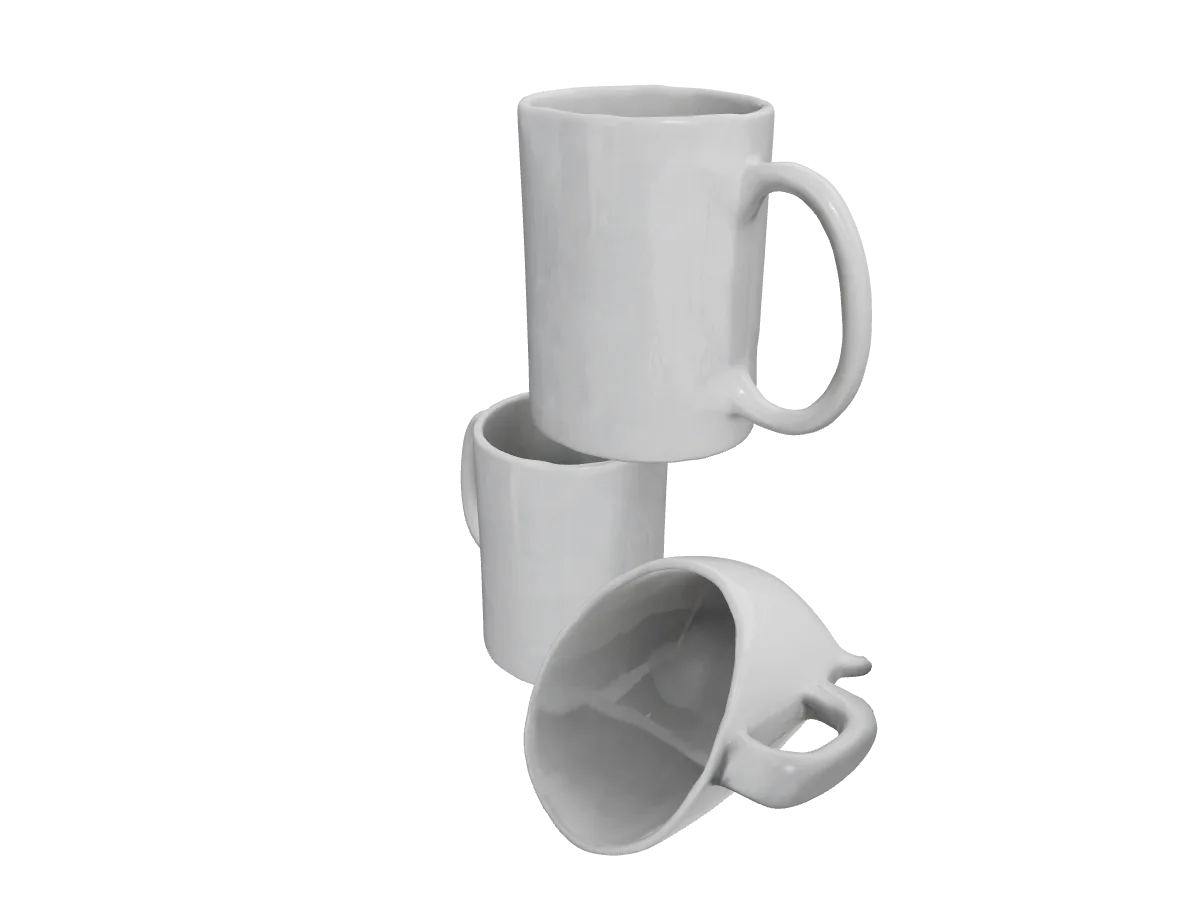
White mug (three-view sheet)
Image to 3DInput: A sheet with three labelled views of a plain white mug: front, side and top.
We sent a three-view sheet as one image. Rodin treated it as three objects and built three mugs on top of each other.
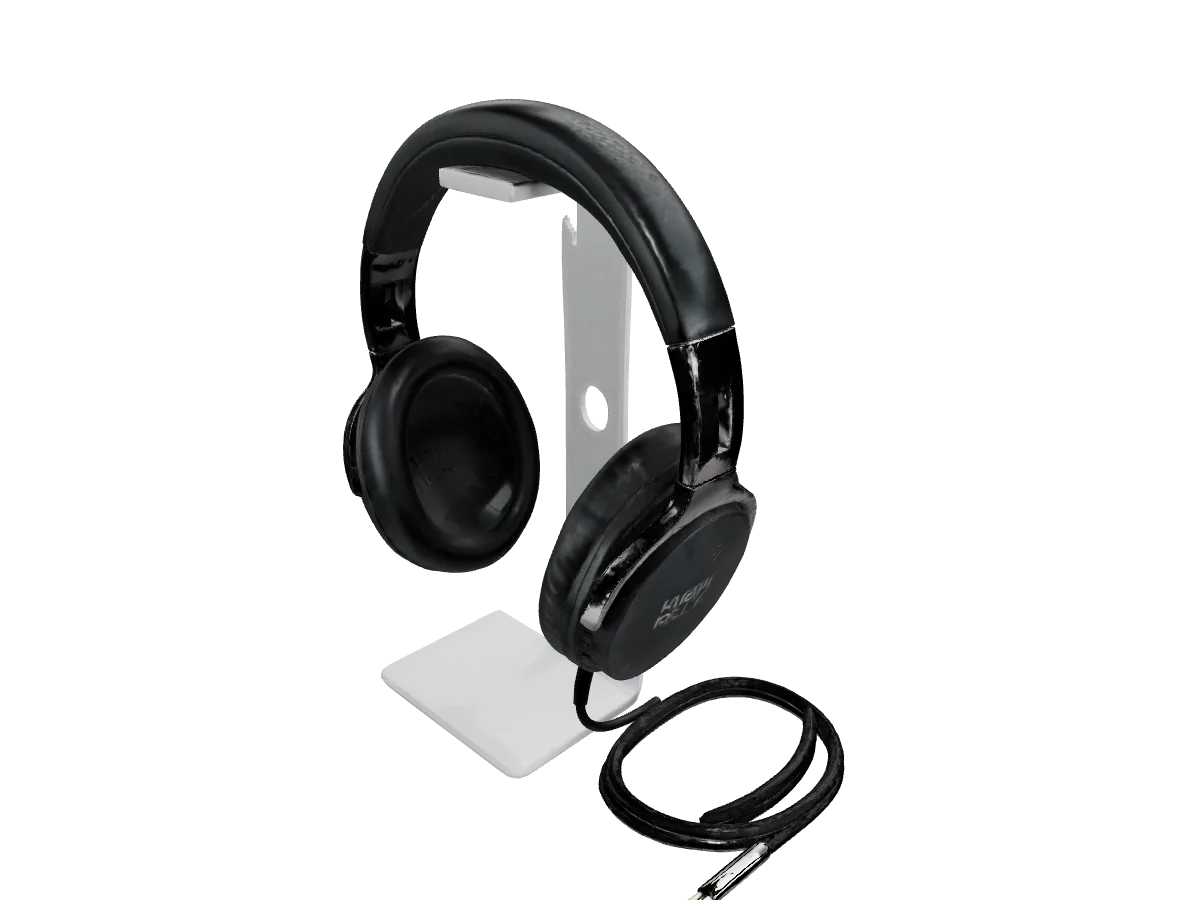
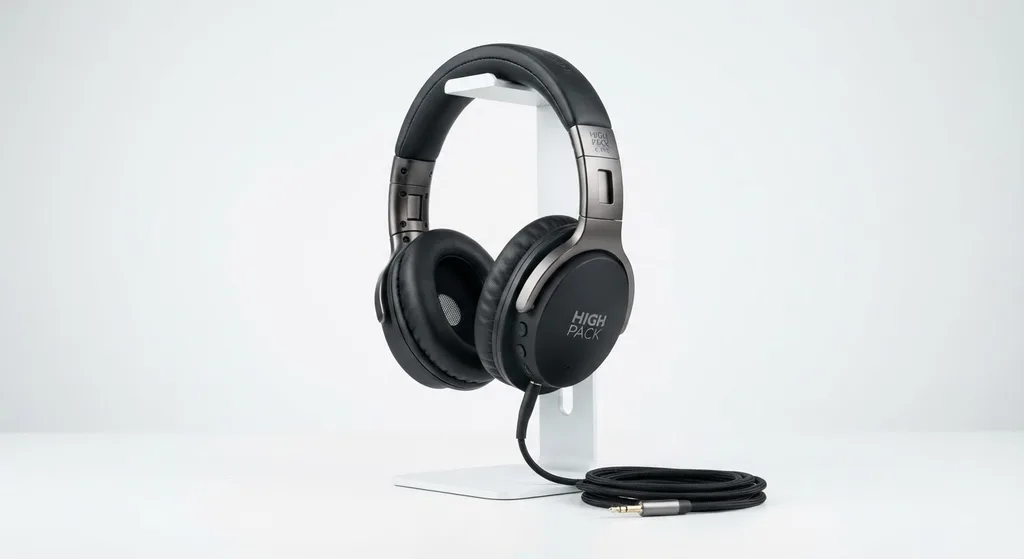
Headphones on a stand
Image to 3DInput: A product photo of black over-ear headphones on a white stand, with a coiled cable in front.
Stand, headphones and the loose cable came back as one mesh, cable included.
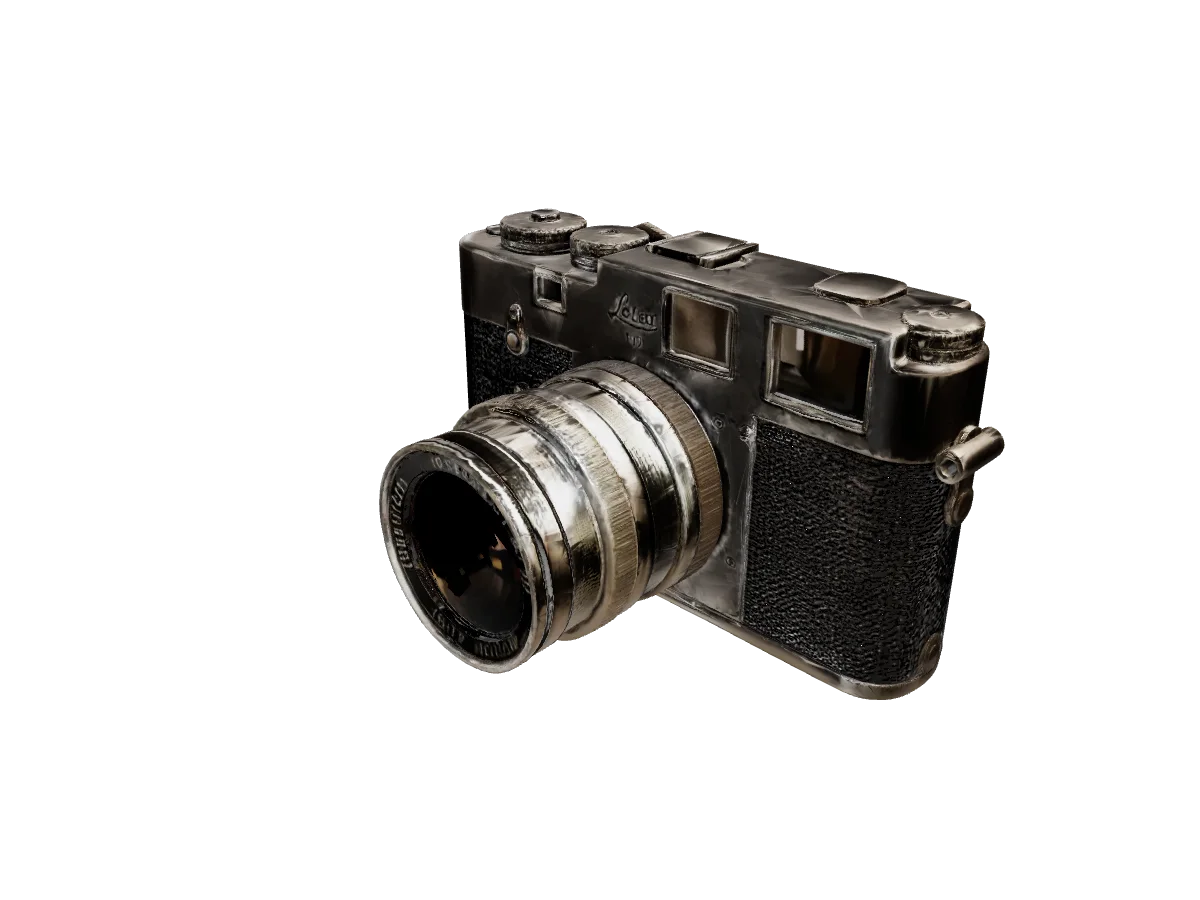
Film rangefinder camera
Image to 3DInput: A product photo of a film rangefinder camera with a chrome lens, on a grey surface. The photo shows a brand name, so it is not published here.
Dials, the lens barrel and the leatherette are readable from the front; the back is invented from the front.
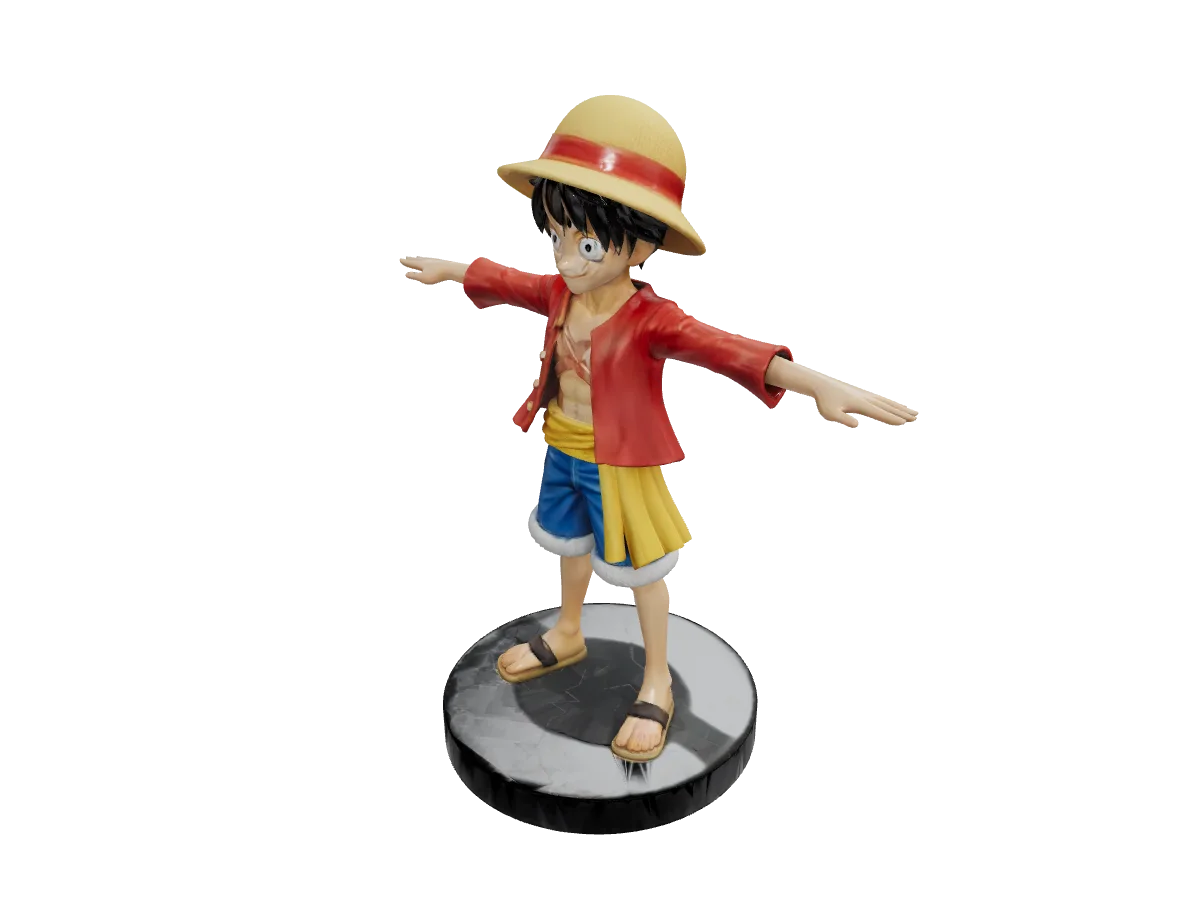
Figurine in a T-pose
Image to 3DInput: A front photo of a painted figurine with arms held out in a T-pose, standing on a round black base. The figure is a recognisable character, so the photo is not published here.
The arms-out pose came through cleanly, which is what a rigging pass wants. Fingers are soft.
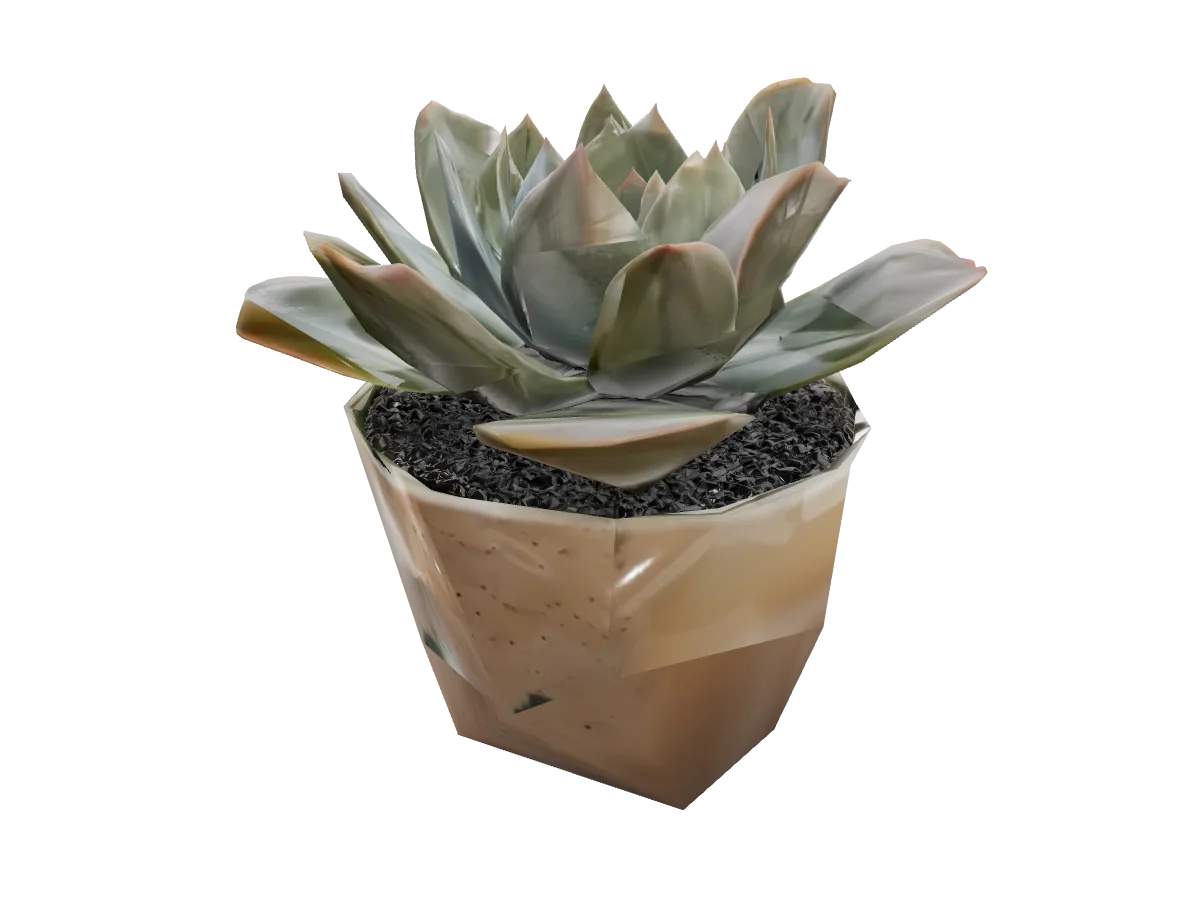
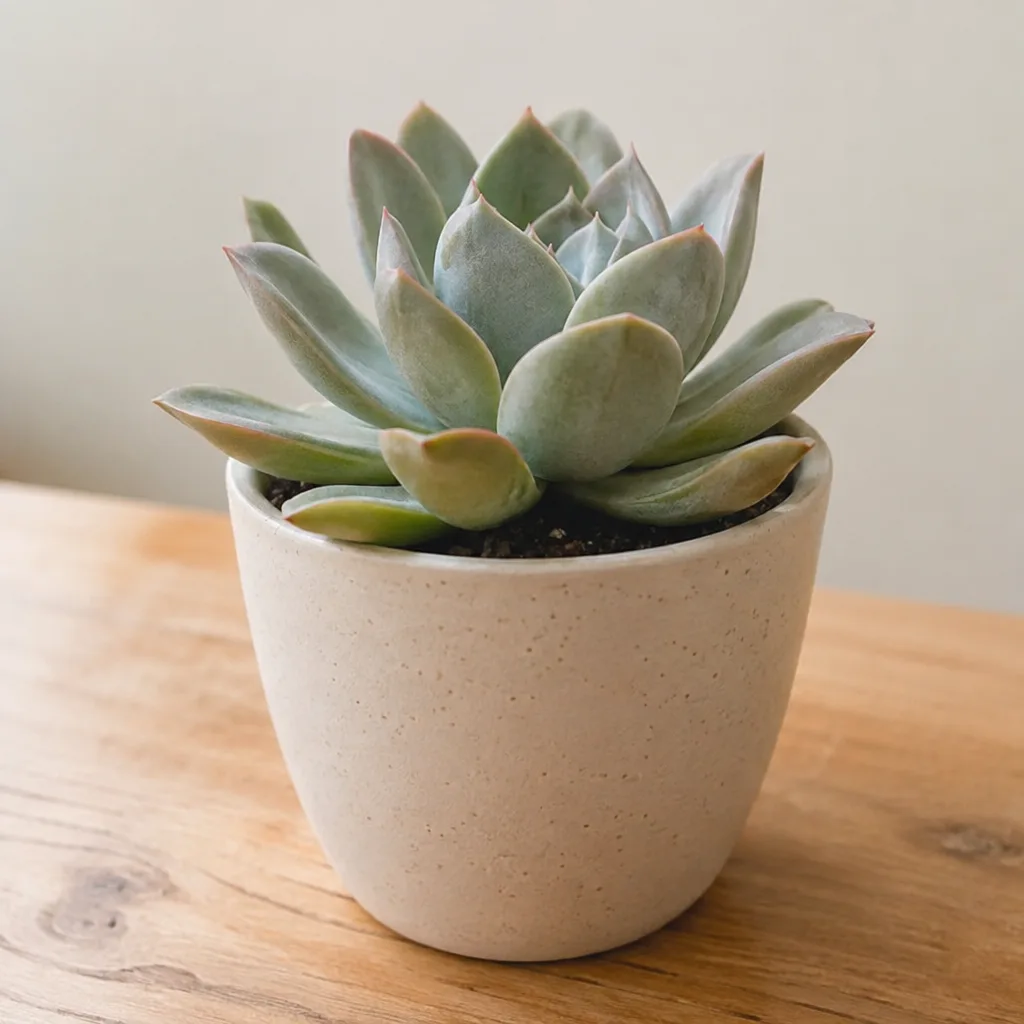
Succulent in a pot
Image to 3DInput: A photo of a small succulent in a beige ceramic pot on a wooden table.
Leaves are separate, overlapping shells rather than one blob. The soil is a flat textured disc.
Fantasy sword
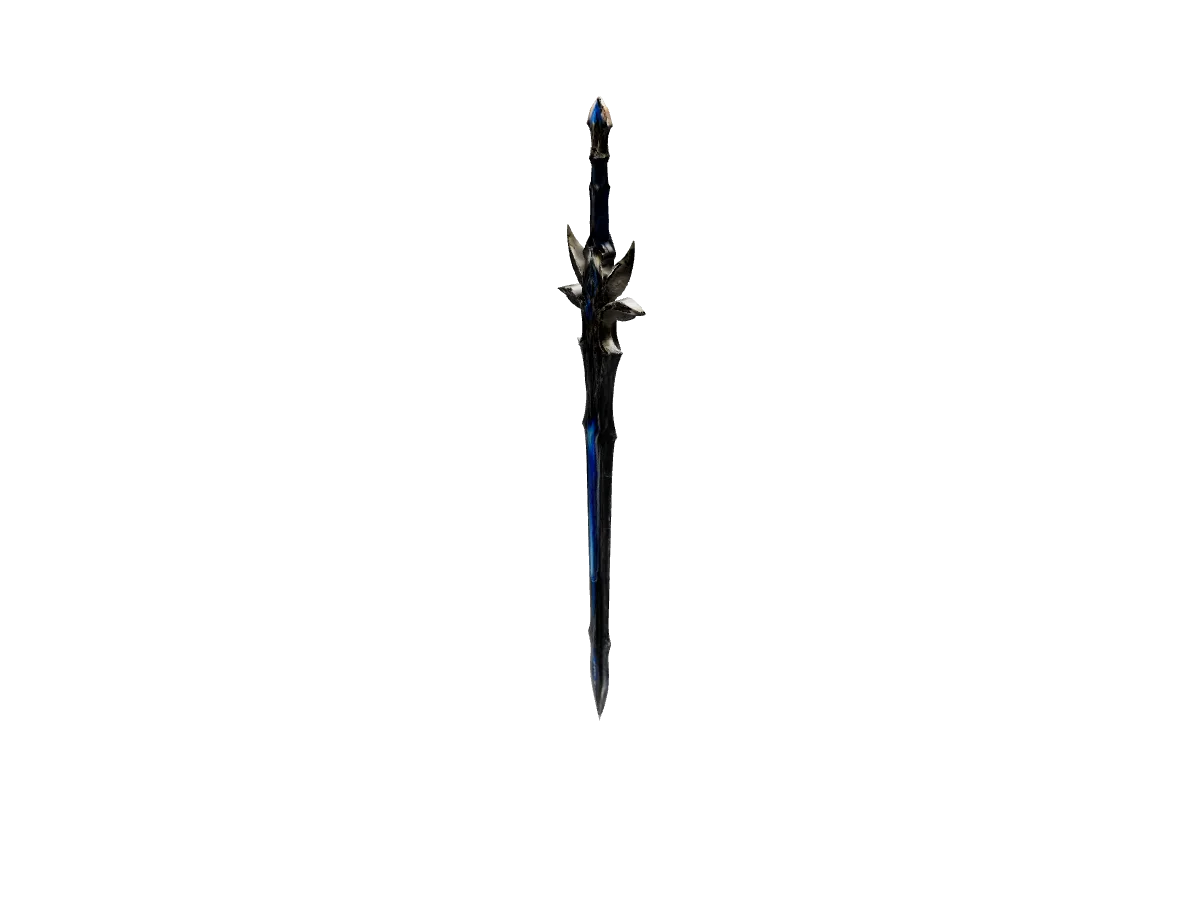
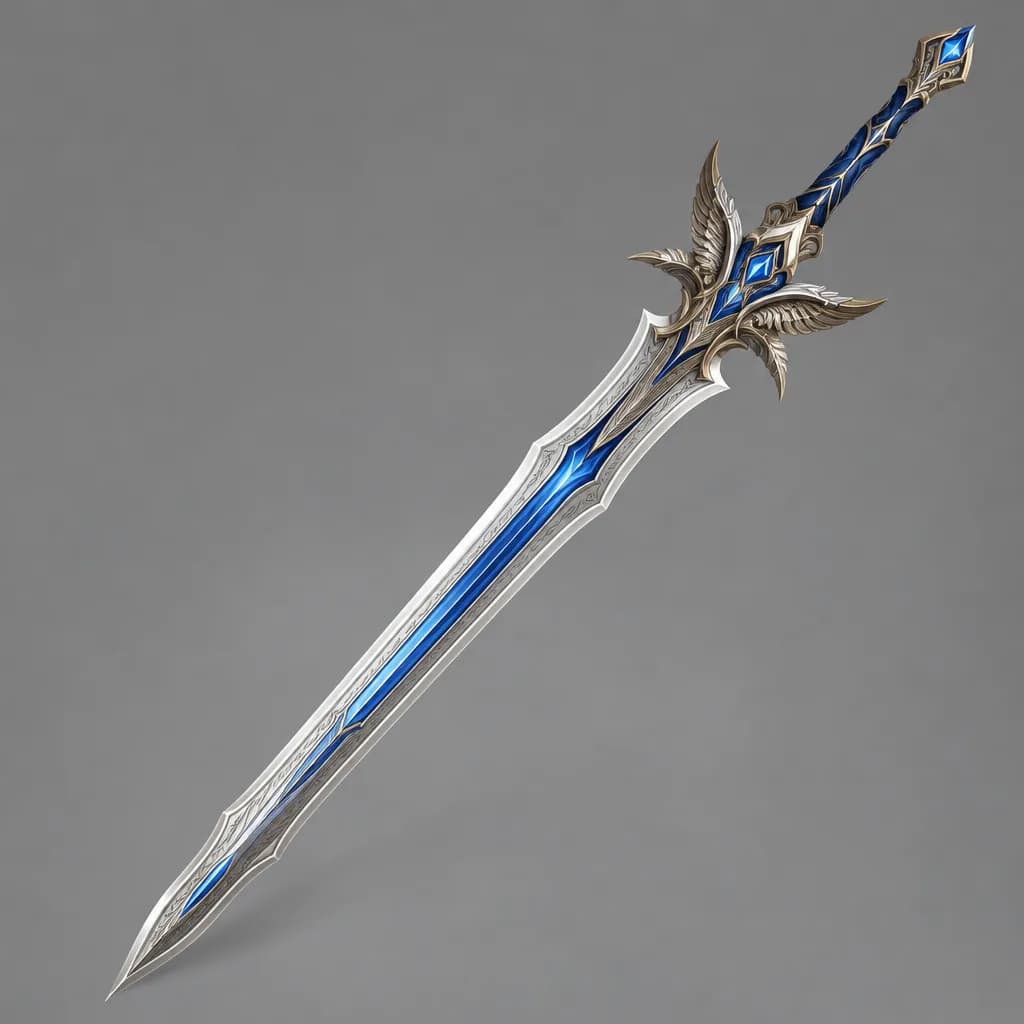
Image to 3DInput: A concept illustration of a longsword with a blue blade and a winged crossguard, on a plain grey background.
Thin, long objects are hard for every generator. The blade is straight and the guard has its wings, but the engraving is lost.
Wishing well
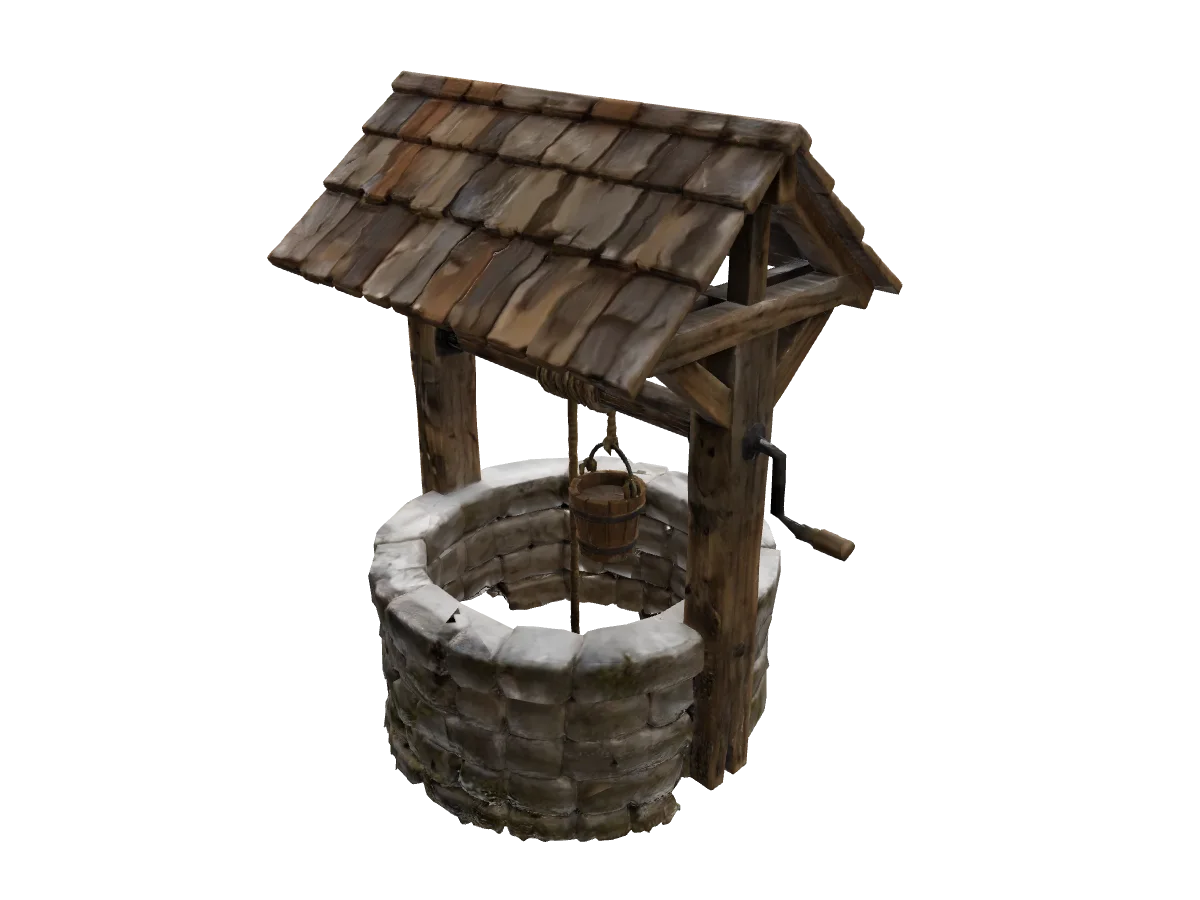
Text to 3DMade from: a short text prompt describing the object. The exact prompt is being added.
The roof shingles, the crank and the bucket on its rope are all modelled, not painted on.

Cartoon robot
Text to 3DMade from: a short text prompt describing the object. The exact prompt is being added.
Smooth, clean surfaces and one material: the kind of object text-to-3D does best.
Fire hydrant
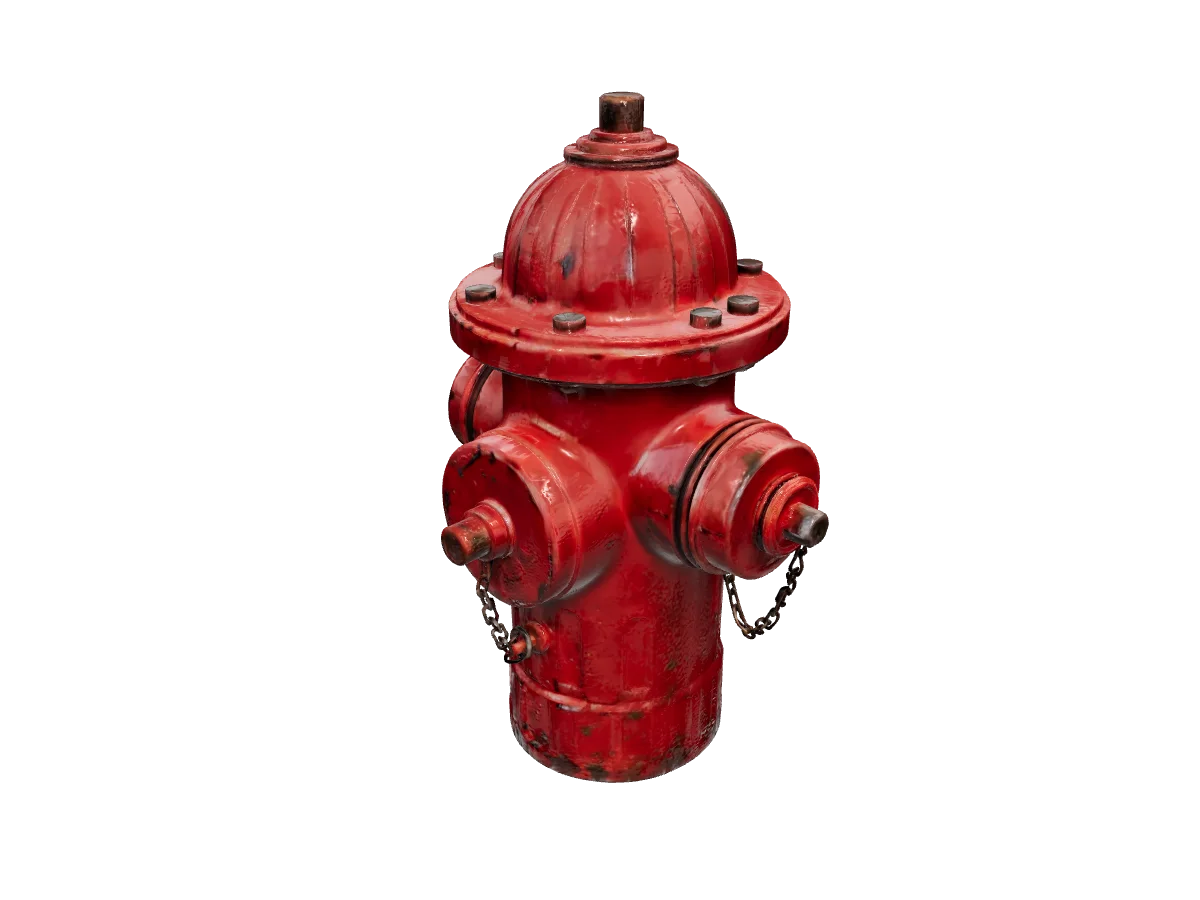
Text to 3DMade from: a short text prompt describing the object. The exact prompt is being added.
The chains hang as real geometry and the paint wear is in the texture.
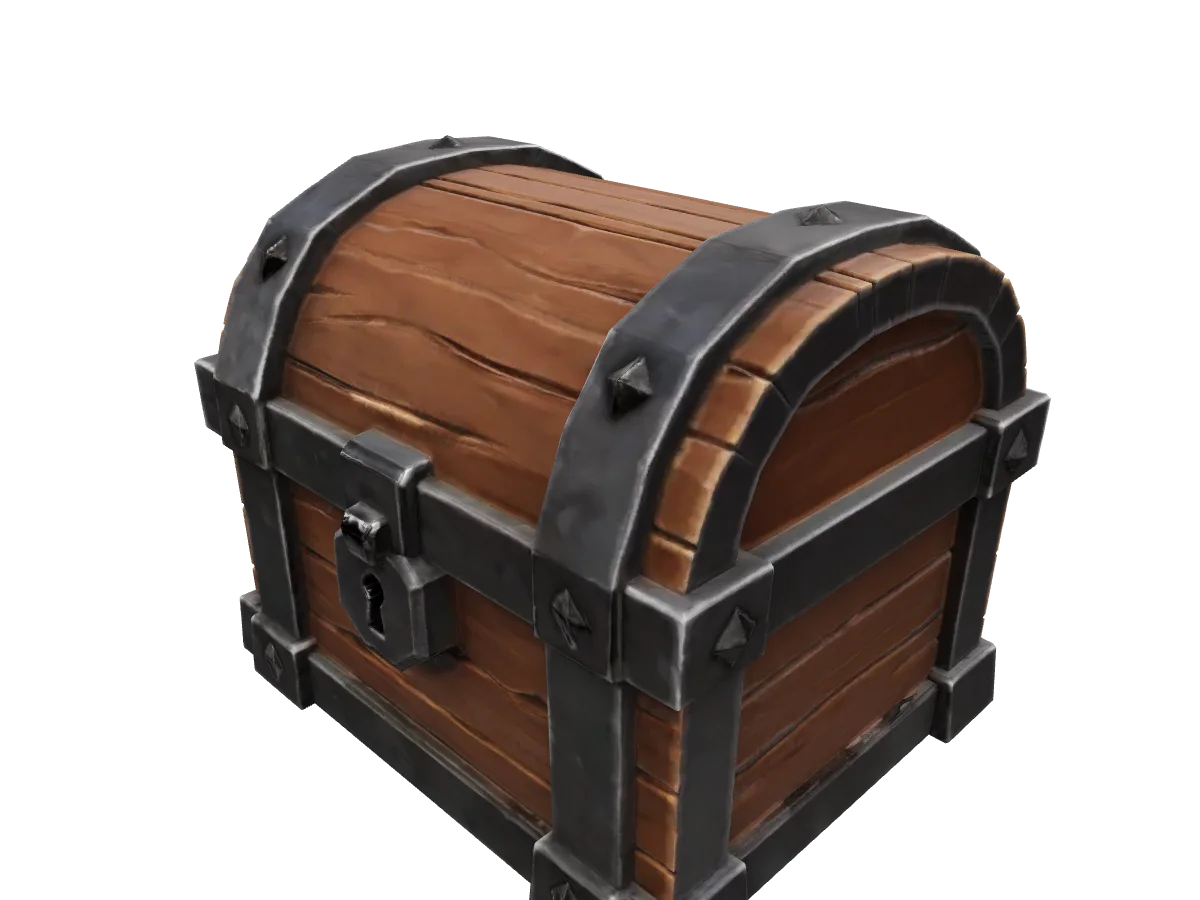
Treasure chest
Text to 3DMade from: a short text prompt describing the object. The exact prompt is being added.
A game-prop look: bold wood planks, chunky iron bands, a lock you can read from a distance.
Where it struggles
The mug that became three mugs
We fed Rodin a tidy three-view sheet of a plain white mug, labelled front, side and top, as a single image. It is the kind of reference a modeller would love. Rodin read it literally: three white shapes on a grey ground became three mugs stacked into one mesh.
The lesson is not that Rodin is bad at mugs. It is that the Image to 3D app sends Rodin one image, and the model treats everything in that image as the object. Send one clean view of one object on a quiet background. If you have several angles, use a generator that takes them as separate views, such as Hunyuan 3D Pro or Meshy 7.1 Multi Image, or run Rodin on the single best view.
Two smaller things we noticed across the set: very thin parts (the sword blade, the fingers of the figurine) come back soft, and the side the camera never saw is a guess. Both are true of every image-to-3D generator we run.
How to
How to run Hyper3D Rodin on TrendShift Labs
Six steps, the same ones we used for every model above. Opening the apps is free; generating spends credits from a plan on /pricing, and the cost shows before you press Generate.
- 01
Open Text to 3D or Image to 3D
Both apps are under /apps and open without an account. Text to 3D needs a prompt. Image to 3D needs one photo and takes an optional prompt that describes the object or its materials.
- 02
Pick Hyper3D Rodin from the model chip
The model chip in the composer lists every live 3D generator. Choose Hyper3D Rodin. Your choice is remembered for the next run in that app.
- 03
Add the prompt or the photo
For a photo, drop one clear view of a single object onto the page, or paste it into the prompt box. Rodin gets one image here, so send one view, not a sheet of several. For text, describe one object: shape, material, style.
- 04
Set the options behind Advanced
The Advanced chip holds Rodin's settings: Format (glb, usdz, fbx, obj, stl), Material (PBR or Shaded), Quality (high, medium, low, extra-low), Tier (Regular or Sketch), Multi-image mode, Hyper mode, T/A pose, the HighPack add-on and a seed. Leave them alone and you get GLB, PBR, medium quality, Regular tier.
- 05
Check the cost, press Generate
The Generate button shows the credits the run will use before you press it: 86 for a standard Rodin run at the time of writing, 258 with HighPack. Jobs run in the background; you can start another while it works.
- 06
Orbit it, download it, convert it
The finished mesh opens in the studio viewer and is saved to your gallery. Download the GLB, or turn it into STL, OBJ or PLY in the browser with the free /tools/3d-model-converter.
Which input
Text-to-3D or image-to-3D?
Image to 3D when the object exists
The sneaker, chair, headphones, camera, figurine and plant all came from one photo each, and the mesh follows the photo: proportions, colours, even the chipped paint. Use it for products, props you own, and concept art you want kept faithful. One object, centred, even light, quiet background.
Image to 3DText to 3D when it does not exist yet
The well, robot, hydrant and chest came from short prompts. Rodin leans stylised here: clean surfaces, readable shapes, game-prop proportions. Describe one object, name the material early, and say the style (realistic, hand-painted, low-poly) in the same sentence.
Text to 3DSettings
Hyper3D Rodin settings explained
Everything the Advanced chip offers for Rodin, with the value the studio sends when you leave it alone.
| Setting | Options | Default | What it does |
|---|---|---|---|
| Quality | high, medium, low, extra-low | medium | How much detail the run spends on the mesh. Medium is the default; the models on this page carry about 500,000 triangles before web compression. |
| Tier | Regular, Sketch | Regular | Regular is the full run. Sketch is the quicker, rougher pass for checking an idea before you spend on the full one. |
| Material | PBR, Shaded | PBR | PBR returns base colour, normal and metallic-roughness maps, which is what every model on this page carries. Shaded bakes the lighting into one colour texture. |
| Format | glb, usdz, fbx, obj, stl | glb | The geometry file you download. GLB previews in the studio viewer; STL goes straight to a slicer; USDZ is the AR format on Apple devices. |
| Multi-image mode | concat, fuse | concat | Only matters when a run carries several images: concat treats them as views of one object, fuse merges different inputs into one. The Image to 3D app here sends Rodin one image, so leave it. |
| Hyper mode | on, off | off | An extra switch in the Advanced panel, off by default. Try it on a run you want to push further, and compare. |
| T/A pose | on, off | off | For characters: asks for a T or A pose, the stance rigging tools expect. The figurine on this page was already posed that way in its photo. |
| Add-ons | HighPack | none | HighPack is the higher-detail output pack. It bills at three times the base: 258 credits instead of 86. |
| Seed | any number | random | Repeat a run with the same seed and inputs for a close variation instead of a new roll. |
Compare
Hyper3D Rodin vs Tripo, Meshy and Hunyuan
The four generators you can pick for both text and image in the studio, described by what each one accepts and controls here. Credits are the catalog prices at the time of writing; the Generate button shows the current number.
| Generator | Inputs | Mesh controls | Textures | Credits per run |
|---|---|---|---|---|
| Hyper3D Rodin | Text, or one photo in the studio (the model itself accepts several) | Quality, Regular or Sketch tier, format choice, T/A pose, seed | PBR or Shaded | 86, or 258 with HighPack |
| Tripo H3.1 | Text, or one photo | Geometry and texture quality (standard or detailed), face limit, quad mesh, seeds | Texture and PBR switches | 65 |
| Meshy 7.1 | Text, one photo, or up to four photos (Multi Image) | Target polycount (30,000 default), triangle or quad topology, smart topology, symmetry, auto-rig and animation | Optional, PBR switch | 172 without textures, 258 with |
| Hunyuan 3D Pro | Text, or a front photo plus optional back, left, right, top and bottom views | Face count (500,000 default) | PBR as an add-on | 81, 113 with PBR |
FAQ
Hyper3D Rodin, asked and answered.
Cost, formats, inputs and what we did to the files. Anything else? Ask us.
Hyper3D Rodin is a 3D generation model from Deemos. It turns a text prompt or a photo into a textured 3D mesh with PBR materials. On TrendShift Labs it is one of the generators you can pick in the Text to 3D and Image to 3D apps.
86 credits per model at the time of writing, or 258 with the HighPack add-on, which bills at three times the base. The Generate button always shows the current cost before you press it.
GLB by default. In the Advanced panel you can switch the geometry format to USDZ, FBX, OBJ or STL. The studio viewer previews GLB; the free 3D model converter on this site turns a GLB into STL, OBJ or PLY in your browser.
Image-to-3D when you have a clear photo of one object and need the result to match it. Text-to-3D when the object does not exist yet, or when you want a clean stylised prop. Eight of the twelve models on this page came from photos, four from prompts.
The Image to 3D app on TrendShift Labs sends Rodin one image. Use one clear view of the object rather than a sheet of several views: our mug sheet came back as three mugs. Hunyuan 3D Pro and Meshy 7.1 Multi Image are the generators here that take extra views.
No. Each model is the file Rodin returned, only compressed for the web: about 150,000 triangles per model with 1024-pixel WebP textures and meshopt geometry, so each file is 1 to 3 MB instead of 17 to 34 MB. The shapes and textures are otherwise untouched.
No. Hyper3D and Rodin are trademarks of Deemos. TrendShift Labs runs the model as one of several 3D generators in its studio and is not affiliated with Deemos. All models on this page were generated on TrendShift Labs with Hyper3D Rodin.
About this page
All models on this page were generated on TrendShift Labs with Hyper3D Rodin.
Hyper3D and Rodin are trademarks of Deemos. This page is not affiliated with or endorsed by Deemos; it documents our own runs of the model inside this studio.
- Models made
Try it on your own object
Run Hyper3D Rodin on a photo or a prompt.
Open Image to 3D or Text to 3D, pick Hyper3D Rodin from the model chip, and the Generate button shows the cost (86 credits at the time of writing) before you press it.